
How to Make AI Christmas Photos of Yourself
Learn how to make AI Christmas photos of yourself using one selfie. Choose a festive style, create a Christmas portrait, and get tips for better results.
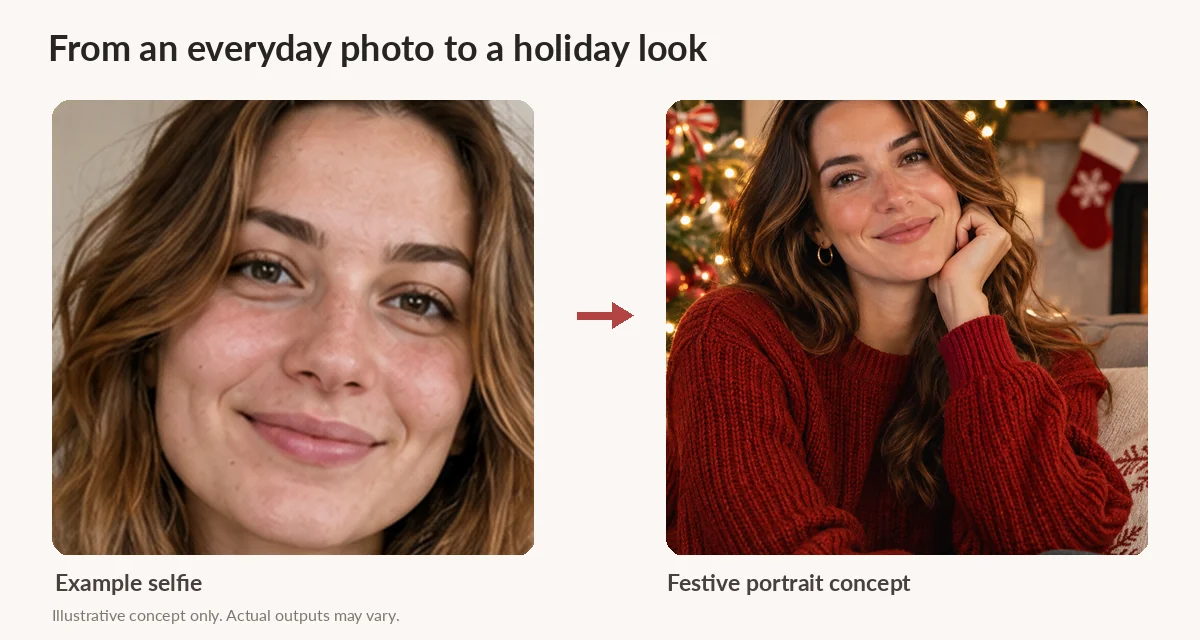
You can make an AI Christmas photo of yourself from an ordinary selfie. Pick a clear picture, choose a holiday scene, and use an AI photo generator to turn it into a festive portrait. You don't need a photographer, a Christmas outfit, or a room full of decorations.
The trick isn't finding the most elaborate prompt. It's starting with the right photo and choosing a look that actually feels like you. Here's how to do it.
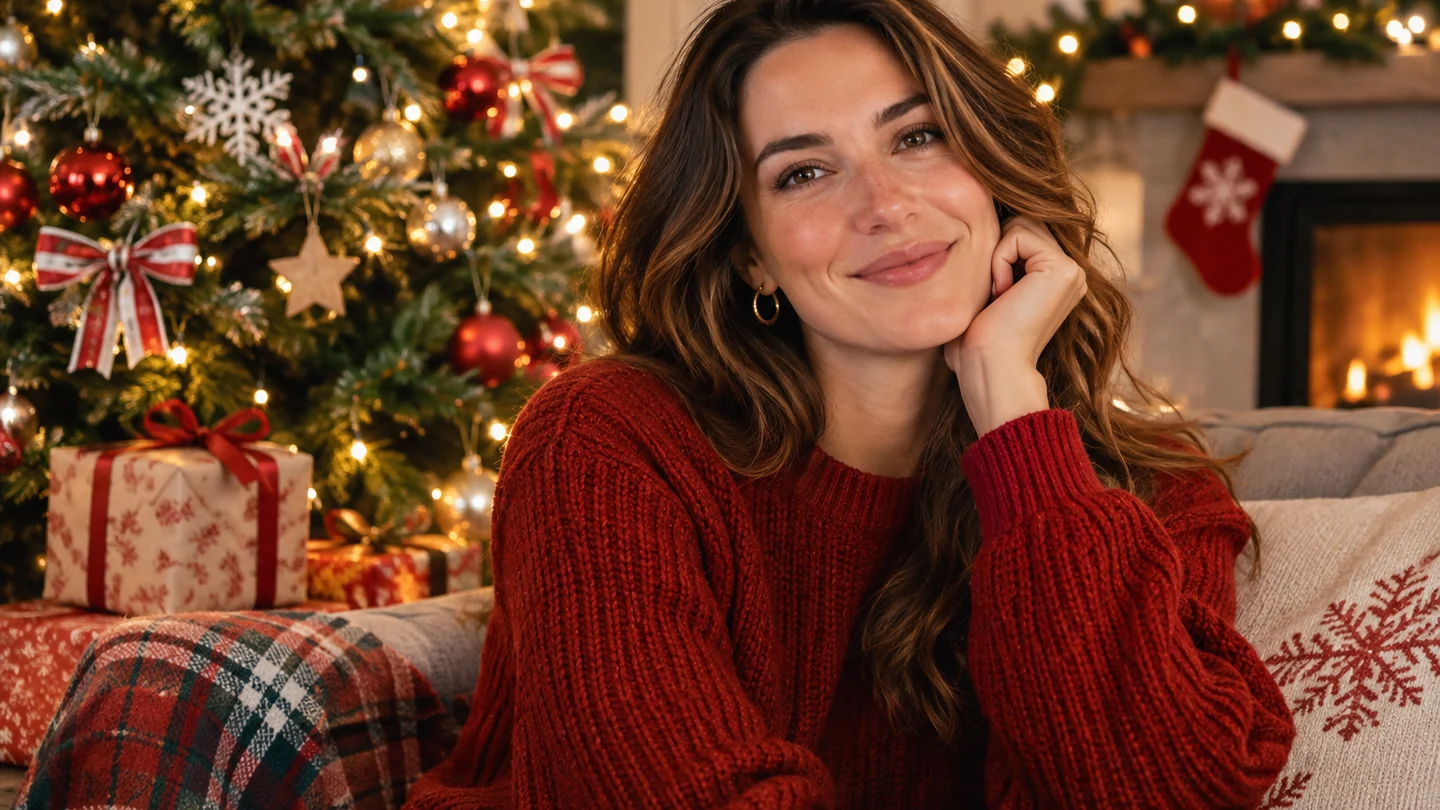
Start with a selfie you already like
Before you do anything else, take a look through your camera roll. You probably don't need to take a new photo.
A simple picture taken near a window is often a better starting point than a heavily filtered selfie from a night out. AI has an easier job when it can clearly see your eyes, hairline, and the shape of your face.
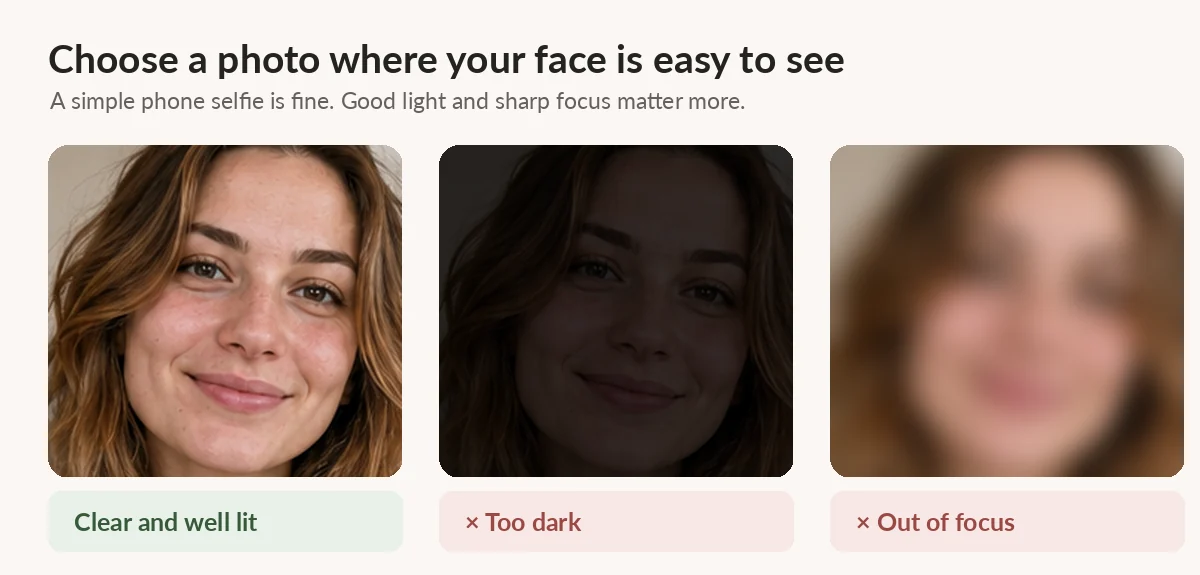
Look for a photo with:
-
Good, even light. Daylight from a window works well. Try to avoid harsh shadows across your face.
-
A sharp, visible face. Skip sunglasses, motion blur, and photos where your face is partly hidden.
-
A natural angle. A straight-on portrait or a slight turn is a good starting point.
-
Only the person you want in the result. If the tool is designed for solo portraits, use a solo photo.
And don't worry about what you're wearing. Your everyday sweater or T-shirt is fine if you're planning to change the outfit in the generated picture.
Choose the kind of Christmas photo you actually want
This part is more fun than it sounds. Think about where the finished photo will go. A cozy portrait might be perfect for a profile picture, while something bright and playful could work better for a holiday greeting.
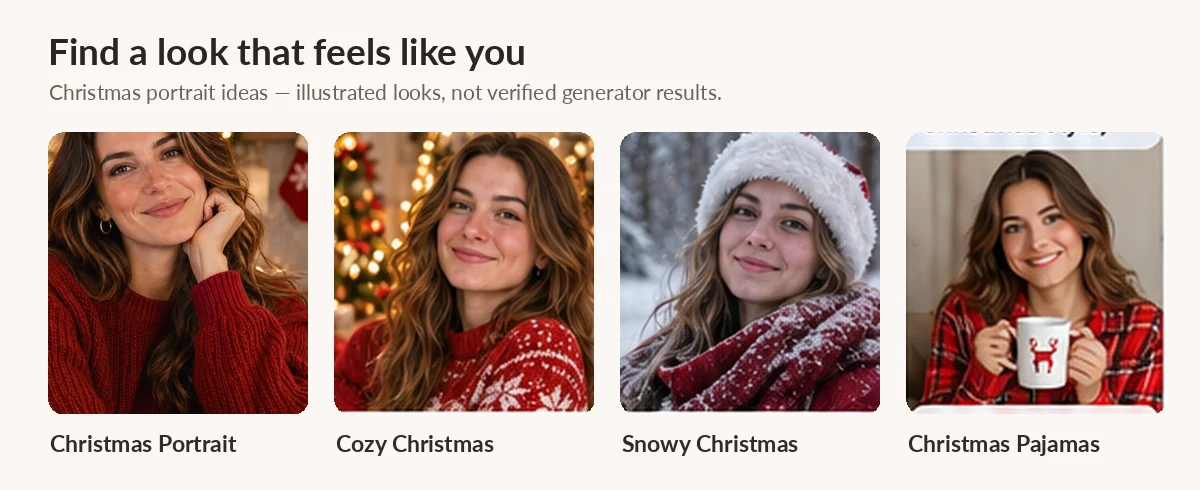
Here are a few looks worth trying:
Christmas Portrait: A classic holiday-photo feel with a decorated tree, warm lights, and a dressed-up setting.
Cozy Christmas: A softer, at-home scene with a fireplace, blankets, and a relaxed winter mood.
Snowy Christmas: A winter portrait with falling snow, a coat, and a festive outdoor background.
Candy Cane: Red-and-white holiday colors, playful decorations, and a more cheerful, stylized look.
Christmas Pajamas: A casual Christmas-morning feel that doesn't take itself too seriously.
These are the five preset styles currently described on AIChristmas.pro. Pick one that suits you rather than choosing the busiest background. A great Christmas picture should still look like a picture of you.
Turn your selfie into an AI Christmas portrait
You can make a holiday photo with a general-purpose AI image editor, but a dedicated Christmas photo tool saves you from writing a long description of the lighting, decorations, and clothes.
For example, here's the process with AIChristmas.pro:
-
Upload your photo. Choose a JPG, PNG, or WebP image. The site currently accepts files up to 10 MB and is designed for a photo of one adult.
-
Pick a Christmas style. Choose a preset scene and, if you like, the output shape that works for your intended use.
-
Check the generation details. You'll need to sign in or create an account, and generation requires available credits. Review the current cost before starting.
-
Generate and review. When generation is available, create your portrait, check the finished image, and download the version you want to keep.
You don't need to write your own prompt for the preset styles. If you prefer to control every detail, though, you can also try a general AI image tool and describe the scene yourself.
Prefer to write your own Christmas photo prompt?
If you're using a tool that accepts an uploaded image and a text prompt, keep the instructions specific without cramming in too much. You can start with something like this:
Use my uploaded photo as the reference for one adult person. Create a natural-looking Christmas portrait in a cozy living room with a decorated tree, warm string lights, and a red knit sweater. Keep my recognizable facial features, hair, and natural skin texture. Use soft, realistic indoor lighting. Do not add other people or any text to the image.
You can swap the living room for a snowy street or the sweater for a more formal holiday outfit. Just remember that asking an AI model to preserve your face doesn't guarantee a perfect match.
Check the little details before you save it
It's easy to get distracted by a beautiful tree and glowing lights. Zoom in on your face first. Do your eyes, smile, and hair still look like yours? Has the AI changed an earring, added an extra finger, or made your skin look strangely smooth?
If something feels off, try a clearer starting image or a different style. Sometimes a simpler scene gives you a more believable portrait than one packed with decorations.
When you have a version you like, think about how you'll use it. A square image works nicely for many profile photos; a taller portrait is often more flexible for social posts. If you're printing cards, check the image dimensions and print requirements before ordering.
A few questions before you start
Can I make AI Christmas photos without a photoshoot?
Yes. That's the point. You can start with a photo you already have rather than arranging a studio session or buying holiday clothes just for a picture.
Will an AI Christmas photo look exactly like me?
Not always. AI image tools can change facial details, even when you ask them not to. Use a clear reference photo and check the result carefully before sharing it.
Do I have to write an AI prompt?
Not with a tool that offers prepared Christmas styles. AIChristmas.pro uses preset scenes, so you can choose a look without writing your own description.
Can I use a picture with my family or my pet?
AIChristmas.pro currently focuses on a single adult in one photo. It isn't designed for group portraits or pet photos, so use a solo picture for this workflow.
Is it free to make a Christmas photo?
Check the tool's current pricing and credit options before generating. AIChristmas.pro requires an account and available credits for generation.
Make something you'll actually want to share
You don't need to turn this into a big holiday project. Find a selfie you like, try a couple of Christmas looks, and choose the result that feels most natural to you.
When you're ready, you can make your own AI Christmas photo using one of the site's preset holiday styles.